Workflows

From Idea to TikTok in 30 Minutes — AI Workflow

From Idea to TikTok in 30 Minutes — AI Workflow

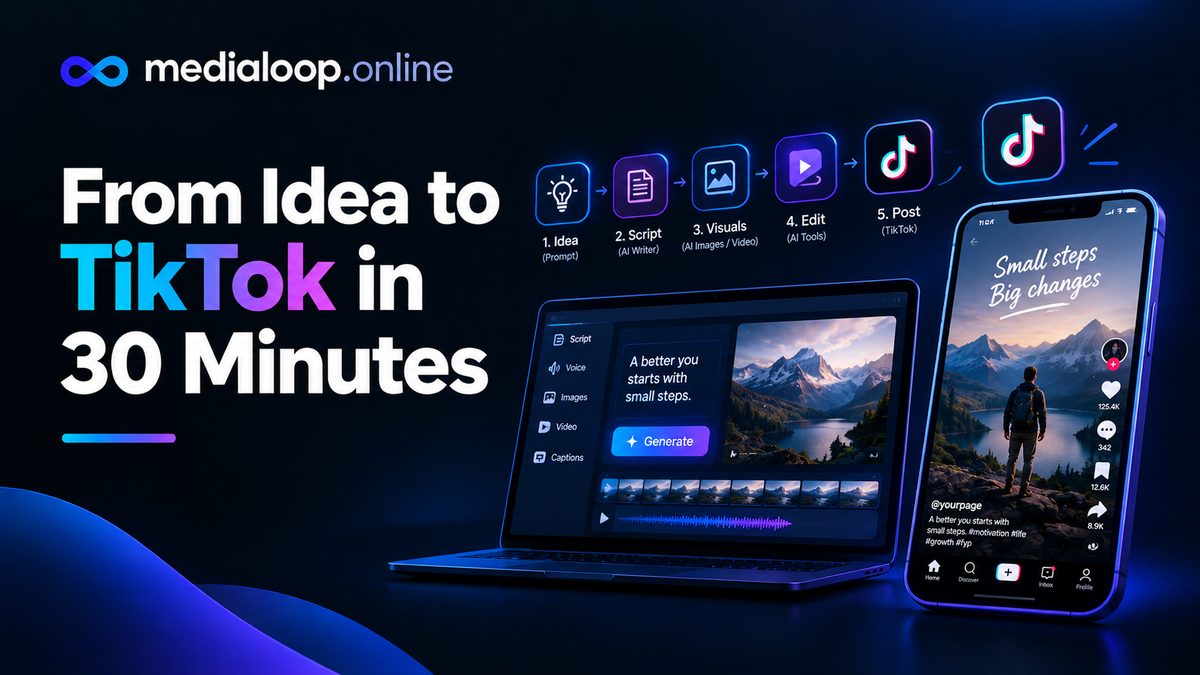
From Idea to TikTok in 30 Minutes: An AI Short-Form Workflow

Consistency beats perfection on TikTok. The creators who grow aren't the ones with the single best video — they're the ones who post good videos every day for months. The bottleneck is almost never talent; it's production time.

This workflow gets you from a raw idea to a published TikTok in 30 minutes using AI tools at every step. It's designed for talking-point, explainer, and UGC-style short-form content — the formats that dominate TikTok, Reels, and Shorts. Time-boxed, repeatable, and realistic: it assumes you've done this a few times and your tools are set up, not that it's your first day.

Before You Start: The 10-Minute Setup (Do Once)

This workflow only hits 30 minutes if the setup is already done. Spend ten minutes once:

  1. Pick your stack and stick with it. One script assistant, one voiceover tool, one footage source, one editor. Switching tools mid-workflow is where time dies.
  2. Save presets. Your caption style, your go-to AI voice, your export settings (1080×1920, 30fps), your hashtag sets — save all of them.
  3. Build an idea bank. A running note with 30+ video ideas. Never start a session staring at a blank page; start by picking from the bank.
  4. Template your project. A blank project file with your intro/outro, music track at the right volume, and caption style already applied.

A reasonable stack: script draft with any AI writing assistant, voiceover in VEED or Descript, b-roll from stock or Runway, edit and captions in VEED or CapCut.

The 30-Minute Workflow

Minutes 0–5: Script It

Pick one idea from your bank and write a 130–150 word script (about 60 seconds of speech). Use this structure:

  1. Hook (1 line). The boldest, most specific version of your point. "Nobody talks about this" beats "Here's a tip."
  2. Payoff promise (1 line). Why they should keep watching: "…and it takes 30 seconds."
  3. The content (100–120 words). Three beats max. One idea per beat.
  4. CTA (1 line). Follow for more, comment your take, link in bio — pick one.

Write it conversationally and read it aloud once while timing yourself. If it's over 75 seconds spoken, cut — don't speed up the voice to fit.

Time-saver: keep a swipe file of your 10 best-performing hooks and remix them. Proven structures beat fresh inspiration under time pressure.

Minutes 5–10: Generate Voiceover

  1. Paste the script into your voiceover tool (Descript, VEED, or your editor's built-in voices).
  2. Select your saved go-to voice — no auditioning new voices during a speed run.
  3. Generate in two chunks (hook + body) so a mispronunciation costs you seconds, not minutes.
  4. Quick listen at 1x speed. Fix only showstoppers; minor imperfections are fine at TikTok pace.

If you film yourself talking instead of AI voiceover, this step becomes "record two takes on your phone" — same 5 minutes.

Minutes 10–18: Gather or Generate Visuals

You need a visual change every 2–4 seconds. For a 60-second video, that's 15–25 clips or images. Sounds like a lot; it's fast with a system:

  1. Start with what exists. Screen recordings, product shots, your own b-roll folder — real footage first.
  2. Fill gaps with stock. Search your stock source with the script's nouns ("person typing," "coffee pouring"). Download 2–3 options per beat; decide in the edit.
  3. Generate only what's missing. One or two AI clips from Runway or similar for visuals that don't exist anywhere else. Don't generate the whole video from AI on a speed run — generation and iteration eat the clock.

Time-saver: maintain a personal b-roll library. Every time you generate or download a good clip, file it by topic. Month two of this workflow is dramatically faster than week one because of the library.

Minutes 18–27: Edit and Caption

  1. Drop the voiceover on the timeline — it's your timing spine.
  2. Lay visuals over it, cutting on the script's beats. Don't overthink individual cuts; momentum beats precision at this pace.
  3. Apply your saved caption preset (word-by-word or phrase captions — sound-off viewers are a huge share of TikTok).
  4. Add your saved music track. It's already at the right volume from your template.
  5. Watch once through at full speed. Fix anything broken; leave anything merely imperfect.

The discipline here: one watch-through, fix only what's broken. Perfectionism is the enemy of the 30-minute target. A good video posted beats a perfect video still in your drafts.

Minutes 27–30: Post It Right

  1. Write the caption (2 lines max + hashtags). Lead with a hook that complements the video, not repeats it.
  2. Hashtags: 3–5, mixing one broad (#learnontiktok-style), two niche, and one specific to the topic. Save sets per content pillar.
  3. Cover frame: pick the frame with the most expressive moment or clearest text.
  4. Post at your audience's active time if you know it; otherwise post and move on — timing optimization matters far less than consistency.
  5. Pin a comment with a question to seed engagement.

Done. Thirty minutes, one published video.

Making It Sustainable: The Batching Upgrade

The 30-minute workflow is for daily posting. But the real unlock is batching: once a week, run an extended session:

  • Ideation batch (30 min): fill the idea bank to 30+ ideas.
  • Script batch (60 min): write 5–7 scripts back to back. Writing in flow is 3x faster than context-switching.
  • Production batch (2–3 hours): run the 30-minute workflow 5 times in a row. By video three you're in a rhythm and each one gets faster.

Five videos in one afternoon = a week of daily posts. That's the system behind most "how does she post every day" accounts.

What This Workflow Won't Do

Honest limits:

  • It won't make a video go viral. Virality comes from ideas that resonate, not production speed. This system gives you more at-bats; the ideas still have to connect.
  • It's not for cinematic content. If your brand needs premium, crafted videos, that's a different (slower, better-paid) workflow.
  • First attempts take longer. Budget 60–90 minutes for your first three runs while you learn the tools. The 30-minute pace kicks in around run five.

Measuring and Improving the System

Speed without feedback is just fast mediocrity. Spend 10 minutes weekly reviewing:

  1. Retention check. For each video, note where viewers drop off (TikTok analytics shows this). If most leave in the first 3 seconds, your hooks need work — not your editing.
  2. Hook log. Keep a running list of every hook you've used and its early retention. Patterns emerge fast: questions vs. statements, specific vs. vague, contrarian vs. helpful.
  3. Comment mining. The comments on mid-performing videos are gold — objections become FAQ content, questions become new videos, and repeated phrases become hook language.
  4. One change per week. Pick exactly one variable to improve (hooks this week, pacing next week). Changing everything at once teaches you nothing.

The workflow gets you volume; this review loop turns volume into skill. Creators who do both improve visibly month over month. Creators who only post tend to plateau.

Frequently asked questions

Do I need paid tools for this workflow?

No. Free tiers of editors with built-in voices, free stock sites, and trial credits cover the whole workflow. Paid tools mainly buy speed and quality at volume.

Is 30 minutes realistic for a beginner?

Not on day one — plan 60–90 minutes while learning. Creators typically hit the 30-minute pace after 5–10 repetitions with a fixed tool stack.

Should I use AI voiceover or my own voice?

Your own voice builds a stronger personal brand and audience connection. AI voiceover is faster and works for faceless or high-volume strategies. Many creators mix: own voice for flagship content, AI for volume.

How many TikToks should I post per day?

One good video daily beats three rushed ones. Consistency over months matters more than daily volume. Start with 4–5 per week and scale only if quality holds.

Can I reuse the same video on Reels and Shorts?

Yes — remove the TikTok watermark first (post the clean export, not a TikTok download), and it's generally fine to cross-post. Slight caption and hashtag tweaks per platform help.

What if a video flops?

Normal. Even good accounts have a hit rate well under 50%. Review retention graphs if available, note what the audience skipped, and apply the lesson to the next batch. The workflow's speed is what lets you iterate fast enough to learn.

Tools mentioned in this guide

Links below may earn us a commission at no extra cost to you.

VEED browser editing with AI voiceover and auto-captions. Visit VEED
Descript voice-driven editing and quality AI voices. Visit Descript
Runway generate the b-roll you can't find anywhere else. Visit Runway
Pictory script-to-video when you want assembly over editing. Visit Pictory
OpusClip repurpose long videos into shorts automatically. Visit OpusClip

MediaLoop Editorial Team

We research AI video tools and turn real workflows into practical, hype-free guides for creators and marketers.