Comparisons
Pictory vs InVideo — Best Text-to-Video Tool?
Pictory vs InVideo compared for 2026: features, workflow, template quality, pricing structure, and which text-to-video tool suits faceless creators best.
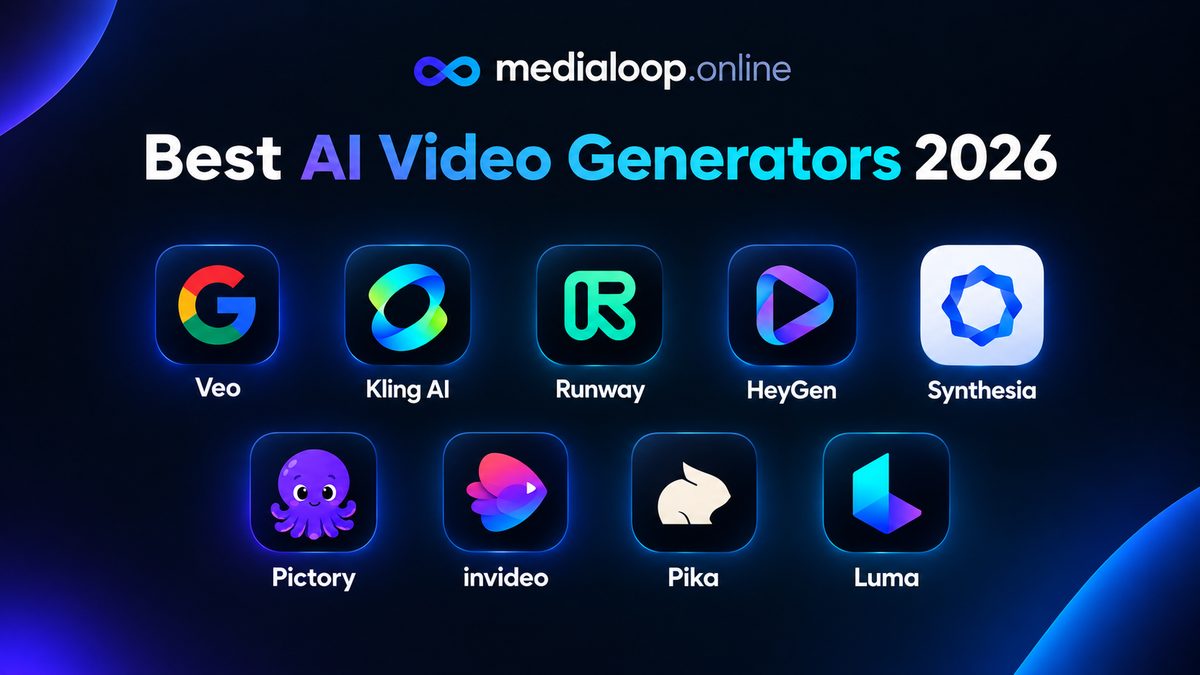
The AI video space went from "impressive demo" to "usable production tool" fast, and the field is now crowded enough that picking the wrong tool wastes both money and weeks. This roundup covers the nine generators most worth your attention as a creator or marketer in 2026 — what each one actually does well, who it's for, and where it falls short.
A few ground rules for this list: no tool paid for placement, no hype language, and no pretending any single tool does everything. Pricing changes constantly in this space, so I describe pricing structure and you should check official sites for current numbers. Where I state feature facts, they're based on each product's widely documented capabilities — tools evolve, so verify anything load-bearing before you commit.
Before the list, decide what you're optimizing for. The "best" generator depends entirely on the job:
With that frame, here are the nine.
Runway has been in the generative video game longer than most, and it shows in the maturity of the toolset. Beyond text-to-video, it offers image-to-video, a suite of AI editing tools (background removal, inpainting, motion tracking), and enough controls to feel like a creative instrument rather than a slot machine.
Strengths: deep feature set, strong motion quality, useful AI editing tools in the same workspace, good for creators who want control over the details.
Weaknesses: the breadth can overwhelm beginners; credit costs add up fast at high volume; photorealism is very good but no longer the outright leader.
Best for: creators and small studios who want one workspace for generation and AI-assisted editing.
Pictory takes a different approach: instead of generating raw AI footage, it assembles videos from your script or article using stock footage, AI voiceover, captions, and templates. Paste text in, get an edited video out.
Strengths: fastest path from script to finished video; excellent for faceless channels, blog-to-video repurposing, and course creators; no prompting skill required.
Weaknesses: you're assembling stock footage, not generating novel visuals — output can feel templated if you don't customize; less useful when you need specific imaginary scenes.
Best for: faceless YouTube channels, marketers repurposing written content, anyone who needs finished videos rather than raw clips.
InVideo combines AI generation with a massive template library and a streamlined editor aimed at social content. Its AI can draft a video from a prompt, which you then customize with templates, stock, and your own media.
Strengths: huge template selection, fast for trend-jacking and daily posting, beginner-friendly, solid text-to-video drafting.
Weaknesses: template reliance can make output look generic; heavy customization fights the tool's "fast" design philosophy.
Best for: social media managers and creators posting daily who value speed over uniqueness.
Synthesia is the enterprise-grade AI avatar platform: type a script, pick from a large library of avatars, get a presenter-style video in 120+ languages. It's the standard choice for training videos, internal comms, and professional explainers.
Strengths: most polished avatar quality, huge language support, brand controls (custom avatars, templates), reliable for corporate use.
Weaknesses: the "presenter at a desk" format is limiting for creative or ad work; pricing skews toward teams; less useful for cinematic b-roll.
Best for: training content, onboarding videos, multilingual corporate explainers.
HeyGen covers similar ground to Synthesia — script-to-avatar video — but with a stronger tilt toward marketing use cases: UGC-style ads, product explainers, and social content. Its avatar quality is excellent and the workflow is tuned for creators rather than enterprises.
Strengths: great avatar realism, marketing-friendly workflows, voice cloning options, good for ad creative at volume.
Weaknesses: like all avatar tools, limited to presenter-style shots; costs scale with video minutes.
Best for: AI UGC ads, product demo videos, creators who want a "spokesperson" without filming.
VEED is primarily an online video editor that has absorbed AI features: text-to-video generation, AI voiceover, auto-subtitles, background removal, and translation. If your workflow is "edit in the browser and ship," it's compelling.
Strengths: no software to install, excellent auto-captions, genuinely useful AI voiceover, good collaboration features, generous free tier for trying things.
Weaknesses: generation quality is solid but not best-in-class; it's an editor first, generator second — don't buy it expecting a Runway replacement.
Best for: creators who edit in the browser, teams needing captions and translations, quick turnaround social content.
Descript is built around a radical idea: edit video by editing text. Its transcription-based editor, AI voiceover (including voice cloning), and filler-word removal make it the fastest way to turn spoken content into polished video — especially for talking-head and podcast-style formats.
Strengths: unmatched for dialogue-heavy content, excellent AI voices, the text-based editing paradigm saves enormous time, great for repurposing recordings.
Weaknesses: not a footage generator — it edits and voices rather than creating visuals from prompts; visual generation features are secondary.
Best for: podcasters, course creators, talking-head YouTubers, anyone whose content starts as speech.
Pika is the most fun-first generator on this list: text-to-video and image-to-video with an emphasis on stylized looks, playful transformation effects (Pikaffects), and quick social-ready clips. It's less about cinematic realism, more about creative, meme-friendly output you can make in seconds.
Strengths: fast and approachable, distinctive effects and styles, a genuinely usable free tier for experimenting, good for social content that doesn't need photorealism.
Weaknesses: not the tool for realistic footage — quality and consistency trail the realism-focused generators; premium effects burn credits fast, so heavy use costs more than the entry price suggests.
Best for: creators making stylized short-form content, memes, and experimental clips.
Luma's Dream Machine earned its reputation on motion quality: clips where movement looks physically believable rather than smeary. Its image-to-video is particularly strong — animate a still image into a smooth cinematic shot — and generation is fast.
Strengths: excellent natural-looking motion, strong image-to-video, fast generation, a solid free tier for trying before paying.
Weaknesses: raw realism trails Veo and Kling at the top end; generated clips don't include native audio; credits burn on every attempt including retries, so allowances go faster than they look on paper.
Best for: creators animating stills, smooth motion shots, and fast visual iteration.
Entry prices checked October 2026 — vendors change plans often, so confirm before buying.
| Tool | Primary strength | Entry price | Free tier |
|---|---|---|---|
| Runway | Creative control + AI editing | $15/mo ($12 annual) | 125 credits, one-time |
| Pictory | Script to finished video | $29/mo ($25 annual) | 14-day trial |
| InVideo | Templates + fast social | $20/mo annual | Yes, watermarked |
| Synthesia | Professional avatars | $29/mo ($18 annual) | 10 min/mo, watermarked |
| HeyGen | Marketing avatars | $29/mo ($24 annual) | 3 videos/mo |
| VEED | Browser editing + AI | $19/mo ($12 annual) | Yes, watermarked |
| Descript | Voice-driven editing | $24/mo ($16 annual) | 1 hr transcription/mo |
| Pika | Playful clips + effects | $10/mo ($8 annual) | 80 credits/mo, 480p |
| Luma | Natural motion, image-to-video | $30/mo ($25 annual) | Limited, watermarked |
Entry-level starting prices as of late 2026 — a snapshot for budgeting, not quotes:
| Tool | Starting price /mo | Annual option | Key limits | Best for |
|---|---|---|---|---|
| Runway | $15 | $12/mo | 625 credits/mo; free tier is 125 one-time credits, watermarked | Creative control + AI editing |
| Pictory | $29 | $25/mo | 200 video min/mo; free trial only, no free plan | Script-to-video at volume |
| InVideo | ~$20 | Check official site — tiers changed repeatedly in 2026 | Credit-based AI minutes; free plan watermarked | Fast social content |
| Synthesia | $29 | $18/mo | ~120 min/year on Starter; free Basic ~10 min/mo, watermarked | Corporate training avatars |
| HeyGen | $29 | $24/mo | ~600 credits/mo on Creator; premium features metered | Marketing avatars, UGC ads |
| VEED | ~$12 | Check official site — plan names changed in 2026 | AI features credit-metered; free plan watermarked | Browser editing + captions |
| Descript | $15 | $12/mo | 10 hrs transcription/mo; free 1 hr/mo | Voice-driven editing |
| Pika | $10 | $8/mo | 700 credits/mo; free 80 credits/mo at 480p only | Stylized short clips, social |
| Luma | $30 | $25/mo | 10,000 credits/mo; free tier watermarked, non-commercial | Natural motion, image-to-video |
Prices change often — check the official site for current pricing.
Be honest about your bottleneck:
Most working creators end up with two: one generator and one editor/assembler. That's a reasonable stack, not tool hoarding — each solves a different bottleneck.
One more piece of practical advice: use free tiers and trials to make three real videos before paying for anything. Marketing pages all look the same; your actual workflow with your actual content is the only review that matters.
Most tools on this list offer free tiers or trials with watermarks or limited credits — VEED and InVideo are among the more generous for trying before paying. Truly free, unlimited, high-quality generation doesn't exist; free tiers are for evaluation.
For raw photorealism, Google's Veo 3 and Kling are currently the names to beat — see our Veo 3 vs Kling comparison. Among the nine listed here, Runway produces the most cinematic generated footage.
Generally yes under each tool's terms, but read the terms of service for the specific tool and tier you're on — commercial rights sometimes differ between free and paid plans.
No — all nine are cloud-based. Your computer just needs to run a browser. Rendering happens on their servers, which is part of what you're paying for.
Pictory is purpose-built for this: script in, narrated video out. Pair it with Descript or VEED for voiceover polish. See our Pictory vs InVideo breakdown for the detailed comparison.
It depends on volume. Light creators often manage on $20–50/month across one or two tools; heavy producers spend more. Our AI video pricing breakdown walks through the real math.
Links below may earn us a commission at no extra cost to you.
Pictory vs InVideo compared for 2026: features, workflow, template quality, pricing structure, and which text-to-video tool suits faceless creators best.
HeyGen vs Synthesia compared for 2026: avatar quality, languages, pricing structure, and which AI avatar generator fits marketing vs training videos best.
Veo 3 vs Kling compared for creators and advertisers in 2026: video quality, prompt accuracy, pricing, and which AI video generator fits your use case best.